
ClipForge AI / User GuideSheet 07 of 14 / Media
Media
CreatorMake an image or a short video from a written description on your own fal or Replicate key, and download it.
MediaStation 07 of 143 tasks5 steps0 tasks not built yet
Tasks
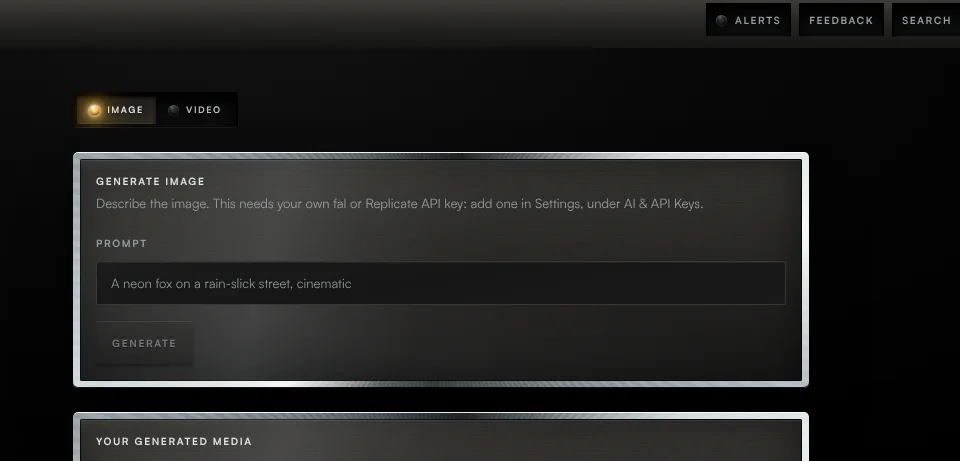
Task 01 / Media
Generate an image
Procedure / 2 steps
- Callout 1. Image and video generation here both run on your own fal or Replicate API key, fal first if you have both. Add one in Settings, under AI and API Keys, then describe the image in Prompt.
- Callout 2. Press Generate. The result appears below when it is ready, with a Download link.
Task 02 / Media
Generate a video
Procedure / 2 steps
- Callout 3. Press Video, describe it, and press Generate.
- With neither key, Generate answers Add an API key.
Task 03 / Media
Open something you made before
Procedure / 1 step
- Your generated media lists everything you have made. Press an item to open the file.
01 of 03
Fig. 7 / Media console