
ClipForge AI / User GuideSheet 11 of 14 / Calendar
Calendar
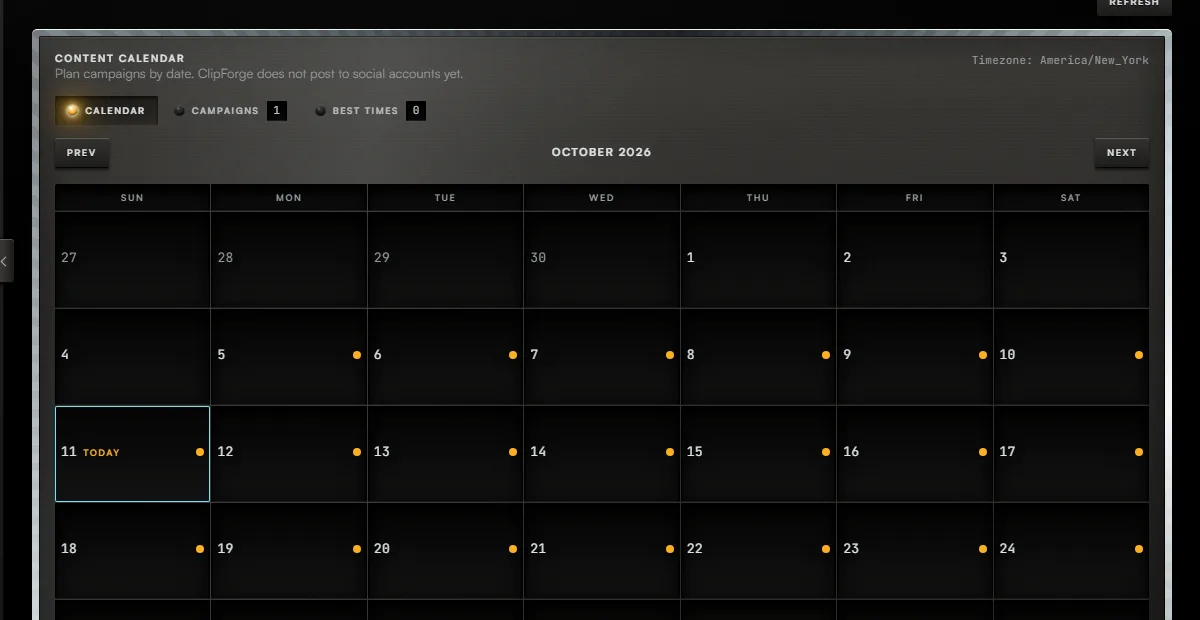
ProPlan campaigns by date. It is a planning calendar: nothing is posted from it.
CalendarStation 11 of 143 tasks5 steps1 task not built yet
Tasks
Task 01 / Calendar
Look at a month
Procedure / 2 steps
- Callout 1. Press Next or Prev to change month.
- Days inside a campaign are marked on the grid.
Task 02 / Calendar
Create a campaign
Procedure / 3 steps
- Callout 2. Press Campaigns.
- Press Create campaign.
- Name it, choose a colour and its start date, and press Create campaign again. An end date is optional.
Task 03 / Calendar
Schedule a post to a social account
Status
Not built yetClipForge does not post to social accounts, so a post cannot be scheduled here. Download the MP4 and post it from the platform.
01 of 03
Fig. 11 / Calendar console