
ClipForge AI / User GuideSheet 13 of 14 / Analytics
Analytics
ProViews, likes, comments and shares for clips ClipForge has posted. ClipForge does not post to social accounts yet, so there is nothing here to read.
AnalyticsStation 13 of 143 tasks6 steps0 tasks not built yet
Tasks
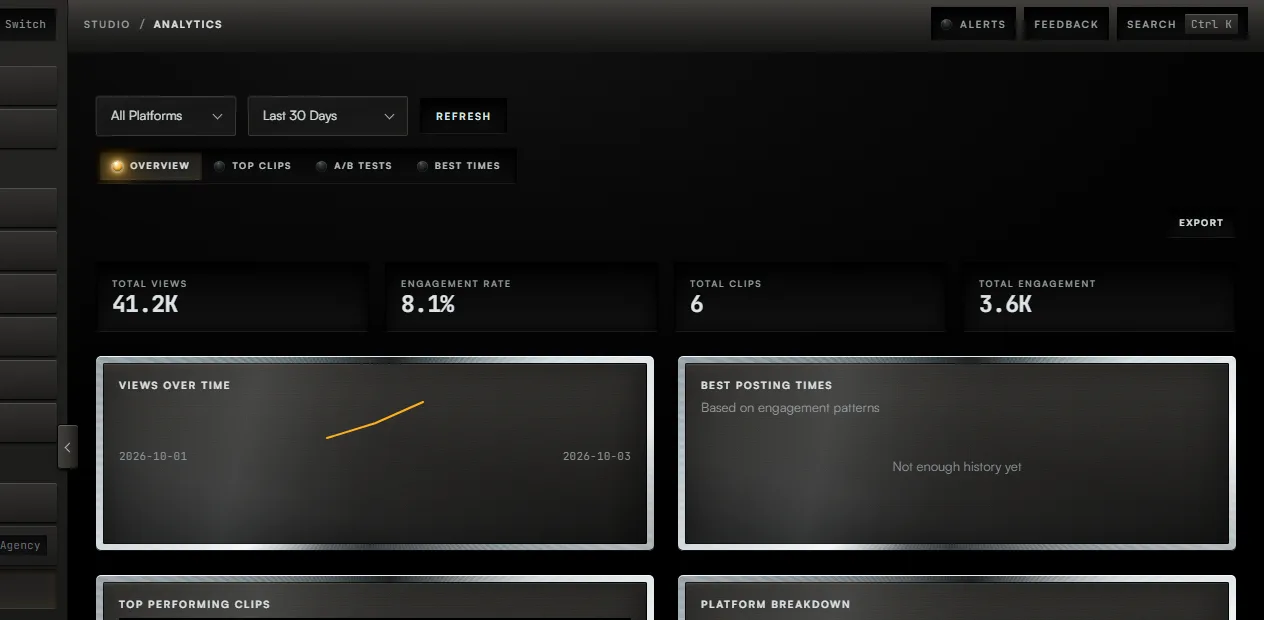
Task 01 / Analytics
Choose a platform and a period
Procedure / 2 steps
- Callout 1. Choose a platform, or leave it on All Platforms.
- Callout 2. Choose the period. It starts on the last 30 days.
Task 02 / Analytics
Export the numbers
Procedure / 1 step
- Callout 3. Press Export to save the clip rows as a CSV file.
Task 03 / Analytics
Read clips, tests and times
Procedure / 3 steps
- Top Clips ranks your clips. Retention reads Not measured where no platform reported it.
- A/B Tests lists your thumbnail tests. Stop Test ends one that is running.
- Best Times reads the same posts. With none it says there is not enough history.
01 of 03
Fig. 13 / Analytics console